DarkFate Terminator 2 Soft-Mod Released!
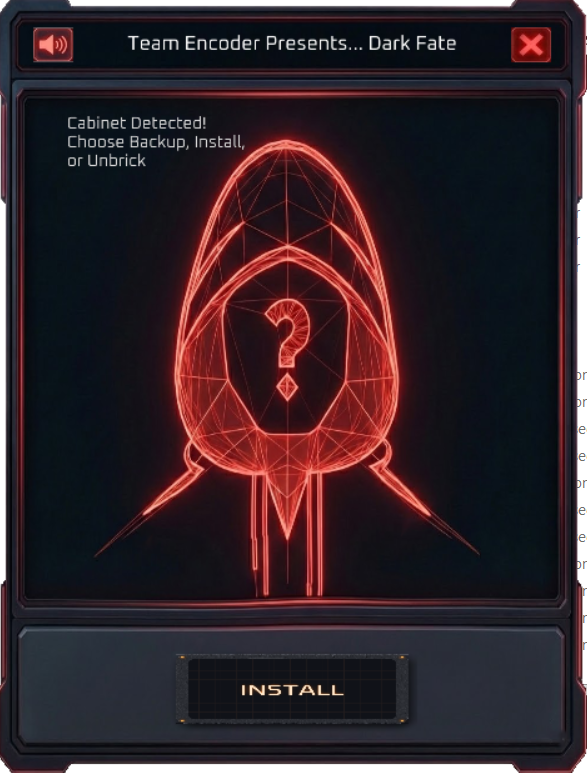
DarkFate is a brand new soft-mod for the Arcade1Up Terminator 2 cabinet. This is a completely different release by a different developer than the NoFate mod previously released. This soft-mod more closely follows the methodology that we employ with the rest of our mods, so the process will feel familiar and the end result will be much more stable. Credit goes to JoeyThug and Doctor Chet for this release.
Brief text instructions:
1. Download the DarkFate mod package here:https://www.dropbox.com/scl/fi/jvpt11oarhqw6a0aiodc7/DarkFate_6.3.zip?rlkey=qjdkctcaccp8dpwhez1tx2g7a&st=wtr9ikvw&dl=1
2. Follow these instructions to install Dark Fate:
- Remove power cord from the PCB on the back of the cabinet.
- Switch flash switch to "OFF" Position, NOTE: It won't be labeled but ON should be and it can also be hidden behind a "QC" sticker which you'll need to remove.
- Download and launch the DarkFate software on your PC.
- While the application is open and waiting for the PCB to be connected, insert the USB cable to the PCB and PC.
- Insert the power cable back into the PCB
- Turn on the cabinet using the on switch on the control deck
- Hit the install button on DarkFate wait to it said DarkFate 6.3 is online reboot your cabinet
- Unplug you cab and hit the flash switch back to ON
- Put SD card with the DarkFate files on it in your cab
- Plug your cab in back in, Power up and don't bother me anymore.
Need Support?
As always, discord is the best place to go for the latest updates and support. There is a great community there testing and sharing game lists and tools.
https://discord.gg/jkCa5EdJGr
Enjoy!
- JoeyThug, Doctor Chet & Team Encoder!